
Enterprise features

Manage more technology assets with less effort and risk.

Tom Dickinson

Inventory visibility

A central repository for asset inventory and data across every location, department & production environment.
Tom Dickinson

Service management

Track service & maintenance to control costs, monitor downtime risks, and address critical issues when they occur.
Tom Dickinson

Asset intelligence

Access Beam’s dynamic product data with FW and SW updates, EoL statuses, manuals,  support information and more.

Know what’s happening

Gain a global view of everything going on across your organization. See every status updated, ticket created, task completed, product added, and every data element that’s been updated. You can quickly filter the activity feed by date, activity type, tag, and more, to make it easy to get to the information you want.

Generate meaningful insights

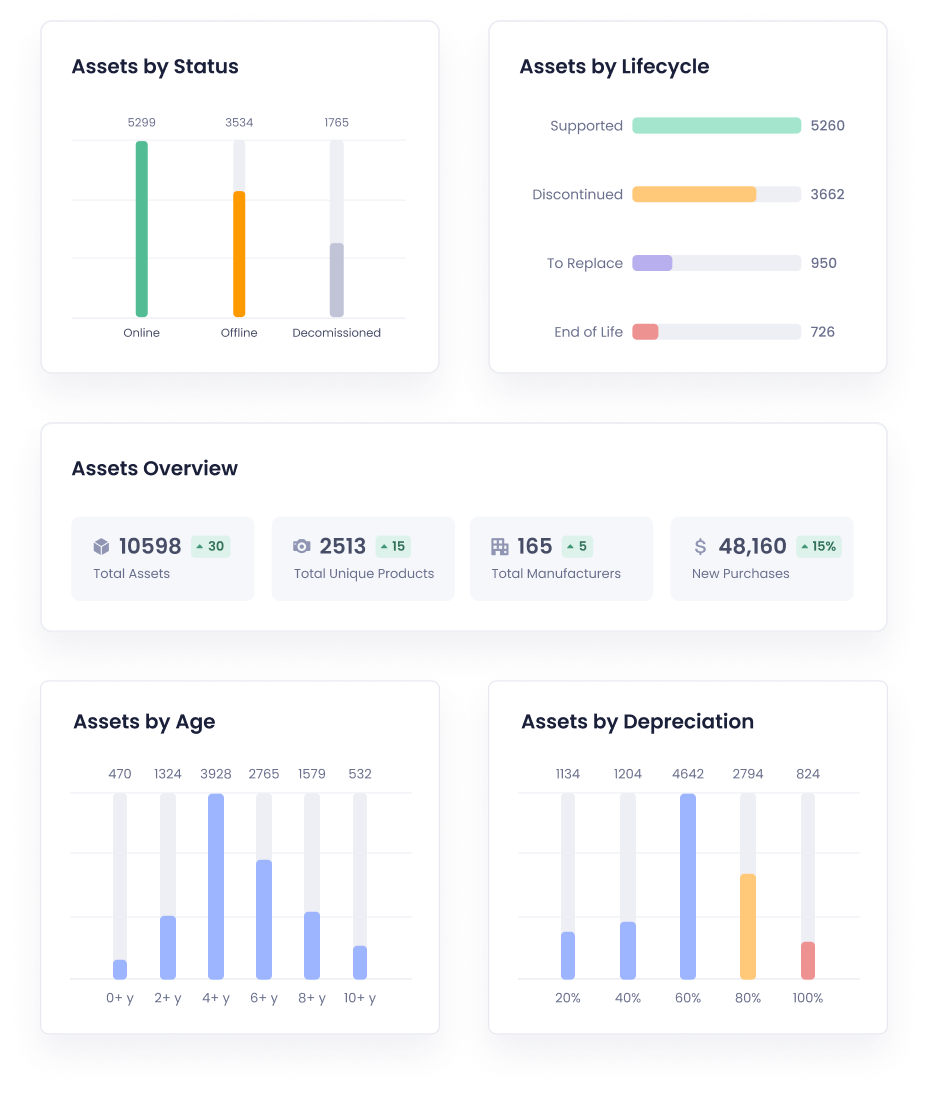
Gain a detailed understanding of the operations and financials surrounding the ownership and service your assets. Drill down to specific manufacturers, workflows or asset types to learn about increases in spend, average life cycles, total cost of ownership and assets that are at risk for failure.
Collaborate to address issues

Provide your team with a better way to collaborate to address issues and tasks with the information they need at their fingertips. Every task, ticket and asset allows for comments and mentions to get help quickly and direct other team members to relevant information to help resolve issues without all the back-and-forth chatter.

No-touch asset onboarding

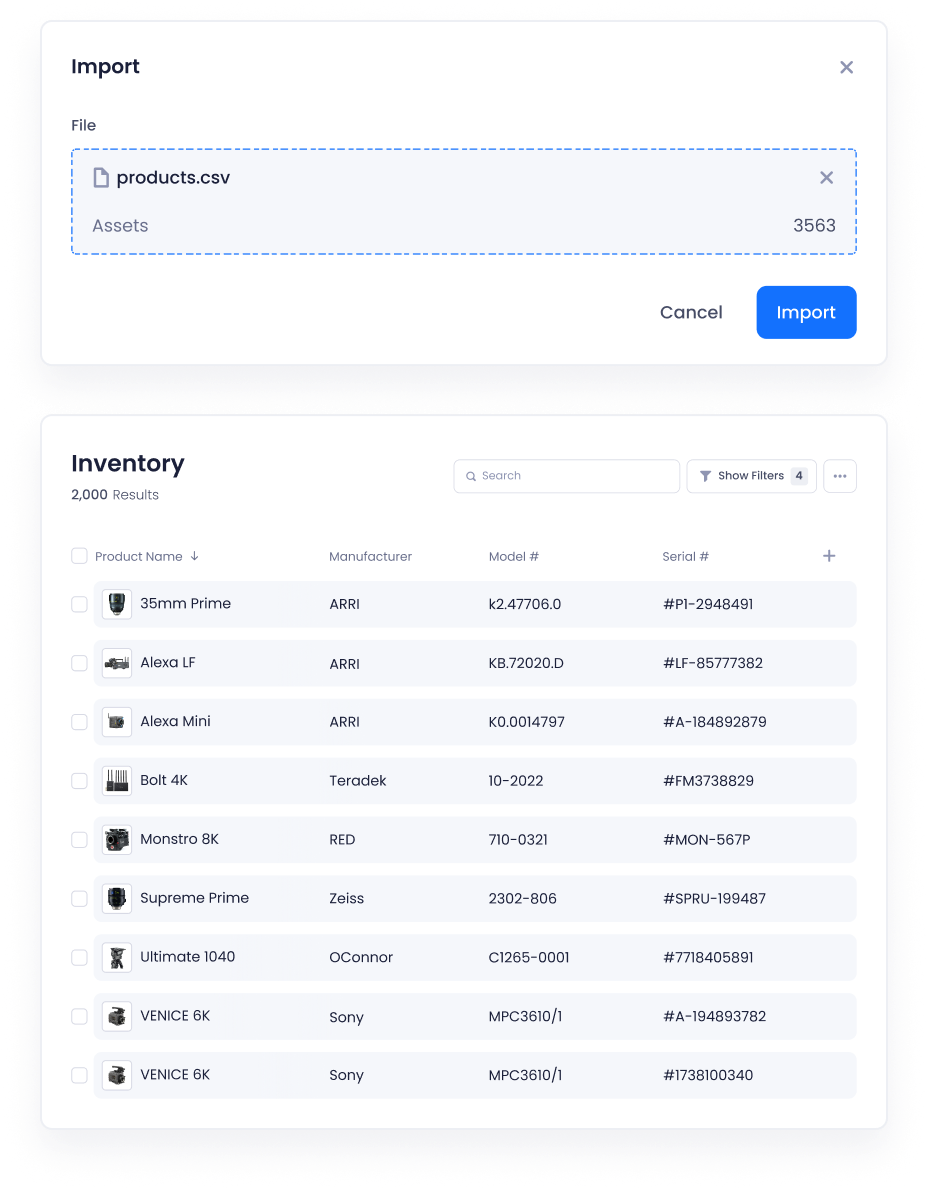
The heavy lifting for onboarding new assets is now done for you. Simply upload an invoice and all of the data will be extracted, input into your inventory and enhanced with Beam’s dynamic product data. Finance can also create automated alerts for when new assets are received or put into service to issue payment and begin depreciation.
Asset history

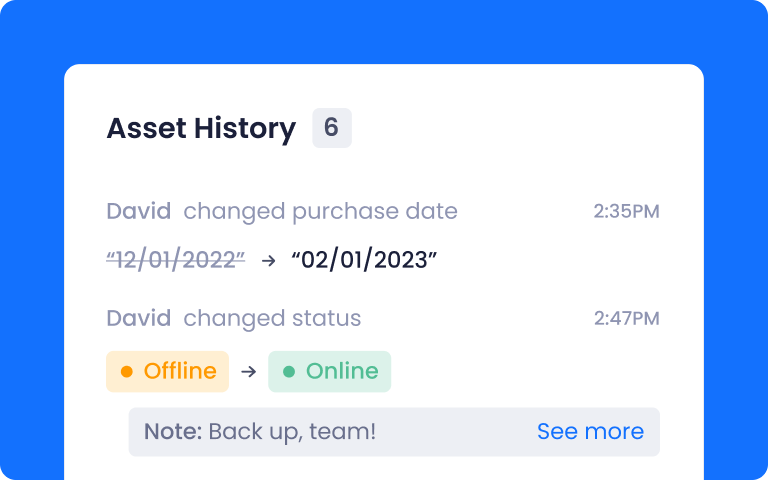
See every change related to an asset from the date of purchase until today. Easily add notes or comments to provide contextual information and to share knowledge with team members.

Documentation

Organize all of your documents around assets, workflows, departments and manufactures. Search, edit, add and filter documents to find what you’re looking for faster.

Real-time statuses

Set customizable statuses for all assets to better understand their current operational state, or if they are available for transfer to another department or location.

A robust toolkit for your team

We provide cloud-based tools to support asset-related workflows while maximizing utilization across organizations.
Tom Dickinson

Ticket module

Allow non-Beam users to create tickets in a secure web portal (no login required). Tickets are sent to approved team members, which can then be managed within the Beam platform and assigned to your team.
Tom Dickinson

Product identification algorithm

Sometimes it’s what’s under the hood that counts. Our data team has released an on-demand product validator that spot checks EVERY data entry. If the product is not identified, the algorithm will search the web to verify the product or present you with identification suggestions.
Tom Dickinson

Notifications

Receive email notifications related to tasks, tickets, asset statuses and imports. Notifications can be configured for each user so that everyone receives notifications the way they want.
Tom Dickinson

Product identification transparency

Product identification is fully transparent for your assets.  Understand which assets will be connected to Beam’s product data based and will receive dynamic updates and vendor information.
Tom Dickinson

Auto-categorization

Your assets are auto-categorized by product type for easier filtering and reporting across your inventory, viewable within the product data section of the asset page.
Tom Dickinson

Approximate match

There are times when Beam can’t make a verified match between your asset and a product from a manufacturer. In those cases Beam will provide you suggested matches, which we call “approximate match”. After an import of assets, you will be able to review any approximate matches and decide what action to take.
Tom Dickinson

Advanced filtering

Receive email notifications related to tasks, tickets, asset statuses and imports. Notifications can be configured to be sent via email, text or in-app notices.
Tom Dickinson

Import summary

Once you import new assets you will be see an import summary with assets by product category, warranty coverage, match %, and which assets have been added which are identified as end of life by the manufacturer.
Tom Dickinson

SSO & active directory support

SSO and AD integrations is available. Use SSO to help more of your team access critical data and to streamline the login and user management process in your existing tools.
Tom Dickinson

Product specifications

Product specifications for identified products are accessible and searchable on the asset page. Specifications can also be used to understand the compatibility between multiple assets and to derive weight and dimensions for shipping.
Tom Dickinson

End of Life status

We continue to improve our data set, and a major addition is include the lifecycle status of the product. You will see all assets that have been listed as end of life, end of sale and end of support by the manufacturer. You can view EoL status in the asset page under product data.
Tom Dickinson

Internal products

Often many assets are internal to your organization or are accessories (like cables, adapters, etc) which will never have product data listed by a manufacturer. In those cases, we now mark products as “internal products” so that it is clear to see which products are not eligible for Beam data.